Showing posts with label SharePoint 2010. Show all posts

Wednesday, October 02, 2013

Add DB server IP to localhost when using SQL Alias

So, when you implement the "best practice" of using SQL Server ALIAS names (to be flexible at all times of where your SharePoint databases will be hosted), apparently it's also a best practice to add the IP & ALIAS name to (all) your WFE & APP's that are using this name.

This came to my attention when I started receiving ERROR logs in the windows APP log of a WFE:

Log Name: Application
Source: Microsoft-SharePoint Products-SharePoint Foundation
Date: 2013/10/02 07:24:00 AM
Event ID: 6398
Task Category: Timer
Level: Critical
Keywords: 
User: **
Computer: **
Description:
The Execute method of job definition Microsoft.SharePoint.Diagnostics.SPDatabaseServerDiagnosticsPerformanceCounterProvider (ID 5bce4422-820a-465f-aee4-5ce0f31640ce) threw an exception. More information is included below.

SharePointDbServer:The network path was not found.
;

Please ensure that the database server is available

Eh.. duh.. of course the database server is available.. I personally know the DBA ! :P :P 
(Yeah, he's one of my personalities)...

Ok; so .. apparently when you use the SPDiag toolkit from MS, this toolkit starts monitoring stuff and will trigger above ERROR in your eventlog, as being described here:

Thank you so much Mohammed Al-Basri for pointing this out :) 

I added the HOME ip (in this case it's a single server install) 127.0.0.1 + DB ALIAS name and voila, another problemo solved !


Thursday, September 19, 2013

Slow StatMan query issue with #SP2010 farm

2 days ago I've emailed help@brentozar.com the mail below, unfortunately I haven't heard anything and I haven't managed to resolve this issue yet. That's why I decided to blog about it, so I can also keep you posted on the progress !

Hi Help team,

I'm Jeroen (Dutch) all the way from South Africa, running into a Microsoft SQL Server 2008 R2 (SP2) - 10.50.4279.0 (X64)   Mar 26 2013 17:33:13   Copyright (c) Microsoft Corporation  Enterprise Edition (64-bit) on Windows NT 6.1 <X64> (Build 7601: Service Pack 1) (Hypervisor) challenge.

This server is also running SharePoint 2010 14.0.6117.5002 (Feb 2012 CU); The problem is that 'suddenly' (used to work without this problem), when the first person uploads a new document to a SharePoint document library, this upload takes forever.
Thanks to your free 'Triage' tool, I managed to pinpoint the query that is taking forever to finish:

EXEC master.dbo.sp_whoisactive
@get_plans=1,@get_transaction_info =1

results in:
SELECT StatMan([SC0], [LC0]) FROM (SELECT TOP 100 PERCENT CONVERT([varbinary](200), SUBSTRING ([Content], 1, 100)++substring([Content], case when LEN([Content])<=200 then 101 else LEN([Content])-99 end, 100)) AS [SC0], datalength([Content]) AS [LC0] FROM [dbo].[AllDocStreams] WITH (READUNCOMMITTED)  ORDER BY [SC0] ) AS _MS_UPDSTATS_TBL

This seems to be related with the statistics.. Probably the insert query for the document triggers the query optimizer to create statistics.. which causes a lot of disk i/o and takes more than 20 minutes to complete...
The auto_create_statistics & auto_update_statics settings are FALSE / off on the content-database.

I have manually created the statistics (not trusting the SharePoint timer job that supposed to do that but often fails, as explained here:

I used this query to create the statistics:
EXECUTE sp_msforeachdb
'USE [?];
USE WSS_Content_DiscoverPortal 
IF DB_NAME() NOT IN(''master'',''msdb'',''tempdb'',''model'')
     begin
          print ''updating statistics in database  ==> '' + db_name()
          if exists (select 1 from sys.objects where name = ''proc_updatestatistics'')
             begin
                  print ''updating statistics via proc_updatestatistics''
                  exec proc_updatestatistics
             end
         else
             begin
                  print ''updating statistics via sp_updatestats''
                  exec sp_updatestats
             end
    end'


But unfortunately, that doesn't help.. It still hangs on the same "SELECT StatMan…." query

I have also looked at the indexes in the database / AllDocStreams table (by the way, the AllDocStreams table seems to hold all BLOB data for the documents in a SharePoint 2010 document library).
SELECT a.index_id, name, avg_fragmentation_in_percent
FROM sys.dm_db_index_physical_stats (DB_ID(), OBJECT_ID(N'dbo.AllDocStreams'),
     NULL, NULL, NULL) AS a
    JOIN sys.indexes AS b ON a.object_id = b.object_id AND a.index_id = b.index_id;
GO

ALTER INDEX AllDocStreams_CI ON dbo.AllDocStreams
REBUILD;
GO
--1%

ALTER INDEX AllDocStreams_RbsId ON dbo.AllDocStreams
REBUILD;
GO
--3.5%

To rebuild the indexes, resulting in 0% fragmentation.

I found this blogpost that seems to describe the same type of issue.. With no solution described..

And also these posts..
SELECT query is timing out due to SELECT STATMAN process
-->this is exactly it, but no answer..

BINGO: STATSMAN QUERY – KNOWN ISSUE WITH UPDATE STATISTICS
--> no answer..

Does the BrentO help-team have any other pointers for me to look at ??
It's massively appreciated and I think maybe even challenging enough to take a look at ?

Thanks very much in advance,

Jeroen

Update: 14 October 2013
After posting this issue here: http://dba.stackexchange.com/questions/51303/extremely-slow-statman-query-issue-with-sp2010-farm?noredirect=1#comment90988_51303

I got some nice feedback and started re-checking the settings on the SharePoint content database.  Somehow (probably during early testing and trying to resolve this issue) the Database Setting "Auto Create Statistics) was turned on... This is not best practice for the SharePoint content database (SharePoint's timer job is taking care of creating statistics). After turning off this setting (resetting it to default setting), the issue seems to be resolved. Will keep a close monitor on this for the rest of this week and let you know next week if this resolved this painful issue !

Tuesday, July 30, 2013

SP2010 Datasheet view not working (but different)

Ok, running into a bit of trouble here..
We 'discovered' we actually need a publication date piece of metadata. No worries, updating the Content type hub with the additional metadata, re-publish the content type, activate some timer jobs, wait for it... yeah ! It's been pushed down to all site collections and subscribing farms :)

Wonderful.

Now we just need to populate a few thousand documents with the publication date.
Ok, .. let's create a view that filters all files, removes all folder structure (annoying folders anyway!) and filter with [year] in the document name.

Alright ! Let's use the free batch-editor I got from somewhere, check all files out (100 at the time), put in the date, check them all in and ... wait for it ... damn.. not working !
Probably a bug in the batch-edit tool.

Ok, let's try datasheet view then.. because then, you can just drag the the date down for all items. Datasheet view doesn't work for all kinds of 64 bit reasons. Google is full of potential answers.. but just don't have time to fix this right now / install all kinds of Office stuff / re-install office into 64 bit etc etc etc etc.

So... let's fire-up the win8 machine inside an Oracle Virtual Machine (free).
Connect to the test-library, datasheet view.. works ! yay ! Ok, connect to production library.. doesn't work ! Nay !!!
Wtf is going on ... ???! Same OS, same browser, same farm.. different libraries.. different views .

Googling this problem is a challenge, it's a case of .. you've got a certain problem which results in certain key-words (datasheet view + share point 2010 + failure) but you're actually NOT having the problem 90% of the people with these keywords have....I just hate it when this happens .. but also like it, because it's a challenge :)

So.. after some killing of search results, come across this one: http://social.msdn.microsoft.com/Forums/sharepoint/en-US/59b06220-3016-4c3f-819c-adb0fa16f7f0/issues-with-the-custom-filter-in-datasheet-view

Where dlanders1 shares his finding around the datasheet view and some influence on filtering ! (Thank You!)
So, I adjust the filter in the view, try datasheet again, works :)

Conclusion:
If you want to use datasheet view and you get the error: The Standard View of your list is being displayed because your browser does not support running ActiveX controls.
Don't pay to much attention to the ActiveX controls part of this error... You probably just need to make a simpler filter in the view !

Because there is so much irrelevant information out there, I'd thought to create a blog about this.. just add a possible relevant drop to the ocean!


Wednesday, May 08, 2013

Using fun and interactive training to create better SharePoint user adaptation


This morning, I found a interesting link in my daily Yammer overview email:


Kirk Evans: I'm bringing Clippy back.


Create the Best App for Office 2013 in 5 Minutes - Kirk Evans Blog - Site Home - MSDN Blogs

Visiting this MSDN blog post, I soon saw the old clippy back on my screen ! This time, inside a browser window, using a JavaScript  Libraries. Instantly my creative mind was going crazy  ...

I'm currently battling to get end-users to work with the beautiful SharePoint 2010 intranet & document management system. I know there are may different reasons why users won't go to the intranet, lack of relevant content; fear for the new; no user training; no clear internal policies of what process (or document) goes where and who to share it with, etc. etc.

But what if..

The relatively inexperienced users (in a "work in a digital way kind of way") would be welcomed to the "new" intranet by a cute little puss in boots, showing them around, give a little animation while they execute their first search query. Giving tips & tricks, latest news (link) updates and maybe guide them trough the intranet's possibilities and procedures.

Since the "agents" are now completely accessible via JavaScript, it must be possible to integrate them into SharePoint (in this case 2010).
Let's do a proof of concept, and see what they users say !

Demo site: https://www.smore.com/clippy-js

Thanks Kirk, for bringing Clippy back !

Sunday, July 08, 2012

SharePoint 2010: Creating personal content streams

Description
One of my customers asked me for a way to let there employees "subscribe" to content sources so that they would only see news and events that are interesting for them personally.

I explained the customer "audiences" that can be used for these purpose but unfortunately their Active Directory isn't that well populated.

The "content sources" consist of interest areas that needed to be centrally managed (Term Store); this way we can ensure that both the "subscribers" and the "publishers" are using the same content source.

Solution
Step1:
First off I started creating the term-set to hold the "content sources" in the Term Store.
E.g.
Company Taxonomy
Interest Areas
Area1
Area2
Area3


Step2:
Next, I configured the user profile service configuration in SharePoint 2010;
- Central Administration : Manage Service Applications
- Either manage (highlight the row and click 'manage' on the top) or create a new User Profile Service Application and then manage it:
-

- Under people, there is a link "Manage User Properties", this is the location where we can add the new "ContentSource" property. Employees will be able to manage the selection of this "Content Source" them selves.
-
- On the top of the page there is a link to create a "New Property"
-
- We can give the property a name etc.
- The property type (depending on your solution) will either be a single (single value) or string (multi value)
-
- When selecting multi value, please be sure to use the Semicolon separator, this will ensure the filter webpart to be able to work with the multiple values.
- Next up, we'll be able to select the Term Set from the Term Store we created in step 1.

Step3
Creating the content holder.
The content holder can be a library or a list where we will add a column (either on the list or document library or content type) that references the same "Interest Areas" term-set we created in step 1.
This will allow the "publishers of content" to select the interest area for the content.

Step4
Filtering the content based on the current logged in users' profile selection.
To accomplish this we create 2 web-parts on a page.
The first web-part will be linked to the content holder created in Step3; obviously we can link using a specific view that filters maybe on publication date etc.; Creating multiple content filters.

Next, we'll add the "Current User Filter" Web-Part To the page.
This filter will apply an extra filter to this list, filtering the content based on the current user selected interest areas.
• Note: The configuration of the 'Current User Filter' Web-Part will only be shown when you edit the "List View" Web-Part; this is a bit confusing.


Configuring the "Current User Filter" Web-Part is easy:
After adding the Web-Part to the page hover over the little drop down arrow on the top right and follow the drop-down path down to filter it's data to the list-view Web-Part:


After a few seconds the configuration pops up:

• Note: this will only happen in Internet Explorer; I tried Chrome to do this, doesn't work out of the box.

In this configuration menu you can select the property from the user profile properties that we linked to the Term Store "Interest Areas" term-set.
Clicking finish will instantly filter down our "List View" Web Part.

To configure additional options:


Choose "Edit Web Part"
You can re-configure the field to be provided to the List View Web-Part:


That's it; the page now automatically filters down items from the list that the current user has "Subscribed to".
The current user obviously can change these values by going to his "My Site" and click on "Edit Profile":


There the user will be provided with a normal "Select From Term-Set" input box:


Great solution, giving the users control on what they see on SharePoint !

Saturday, July 07, 2012

SharePoint 2010 Content Type Publishing (HUB) problems

While implementing the content type hub (a Managed Metadata Services (MMS) production) at a client to day, I ran into trouble.
What was calculated to be done in an hour took me 8 !
Summary: Re-publishing the updated HUB-content type didn't update the subscriber versions of this content type.

The environment:
4 Web applications with each one Site Collection:
- 1) Content Hub Web app: Hub.[customer-domain]
- 2) Main intranet portal: Portal.[customer-domain]
- 3) Main ECM location: ECM.[customer-domain]
- 4) Sub company collaboration site: subcompany.[customer-domain]
The term-store is already implemented (MMS application service running); the ECM location already has 1 site Content Type configured (ECMct) with some Managed Metadata lookup fields (one of them is 'security') to this term-store.

The preparation:
- a) Configured a HUB web application (1) and enabled the 'Content Type Syndication' site-collection feature.

- b) Configured the MMS service application:
- Enabled the connection to the HUB web app (1)
- Under permissions, added the APP-Pool accounts

- c) Configured a site Content Type (HUBct) in the (1) Site Collection
- Published the Content Type

- d) Ran the "Content Type" & "Content Type Subscriber" timer jobs from central admin
- To prevent the default 15 minute & 1 hour wait time

The result:
- The in the hub created Content Type (HUBct) was published to all Site Collections, yeah ! Looked great; unfortunately I forgot one field in the HUBct :(
No problem, let's just add the field "security" to HUBct and re-publish the Content Type. After I did this the problem started.

The problem:
- The updated HUBct (with the 'security' field wasn't pushed trough to the subscriber site collections. I tried:
- Re-publish again (running the Timer Jobs afterwards each time); no results
- Un-Publish the HUBct and then delete it in Site Collection (3)

After a while I checked the other site collections and there the updated HUBct was pushed trough; It was just Site Collection (3) that didn't get the update.
Using the 'Published Content Type' link in the Site Settings - Site Collection Settings menu I opened the 'Content Type Syndication log' where there was an error:

Error1:
The HUBct content type with it's updated field 'security' was giving an error because of the already existing (local) site column 'security'.

Solution1:
So I deleted the security column from the HUBct and re-created 'Isecurity'; Re-published but whatever I tried, no update in Site Collection (3);

Error2:
No updates in the subscribing site collections.

Solution2:
Eventually I added another Managed Metadata Service (MMS2);
Via Central Admin, Manage Web Application ->'Service Connections' I connected the new MMS2 service to both Web Applications (1) & (3), making it the default MMS for the Content HUB web application (1).
Now I re-published the HUBct and it is available in site collection (3) !
I still need to have 2 MMS services connected to this site collection because it's already using the term-store from the original MMS.
To prevent confusion I added a Term-Group to the new created MMS2 and called it 'DO NOT USE AS TERM-STORE; FOR CONTENT TYPE HUB USE ONLY'.


Other things to think about:
In a desperate attempt to get the subscribing site collection to receive the published content type I deleted the previously published HUBct on the subscribing site collection. This was not possible at first because there were still items in my document library which were using this content type. After deleting them from both the site recycle-bin AND the site-collection recycle-bin it was possible to delete the local copy of this content type.
You still need to change the 'read-only' status of the published content type to 'no' in the Site-Content type's 'advanced settings' menu before you can delete it.


Update: 16-10-2013
Now, more than a year later, I run in a problem with these 2 MMS services.. Some site collections decided to get their content types from the wrong MMS.. don't ask me how this is possible, it's very annoying though.. Especially when I just updated a content type and now 1 site-collection doesn't receive the update because it's connected to the wrong MMS... see sample picture below:
24-10-2013 ^^ I managed to get this done ! Thanks to a sneaky way of deleting the HUBuri from the wrong Service Application (no, Set-SPWebServiceApplication -HubUri = "" doesn't work as explained here:
http://sp2007hut.wordpress.com/2013/08/02/removal-of-content-type-hub-ms-non-compliant/)

Yes, I did execute the evil query to get rid of the HUBuri in the wrong MMS.. yes it seems to have fixed the problem a little bit:
Although this is a HUGE step in the right collection, it still uses the wrong Managed Metadata Service (MMS and not HUBService, even though it now says that MMS has no hub defined...) #SIGH !

Schema that shows the configuration in detail (and problem):


It seems that the old site collections (all under the same web-app) are still "connected" to the old publishing location and failing to connect to the new one. Resulting in the error:

Content type 'IDocument' has been published from service application 'Managed Metadata Service' and 'HUBService'. 'Managed Metadata Service' was used.

Where would this connection be defined... on (local) content-type level ? Site Collection Level ? 
It's not from top-down since all the MMS service applications ARE correctly configured and new site collections work perfectly.. 

Update: 24-10-2013, resolved ! 
Thanks to some ideas from @AlistairPugin I first tried to remove & re-add the HUBservice to the ProxyGroup. This didn't work, even after a full farm-reboot (same error).
Then I tried removing the 'Managed Metadata Service' from the ProxyGroup (Custom), re-published the content type, hoping it wouldn't choose this wrong service application since it didn't have a association in the ProxyGroup anymore.. That worked ! Of course, all the Managed Metadata fields in the newly published content type were not working (nicely grayed out) because it still needs the Managed Metadata Service Service Application to resolve the term-store items ! Just adding the Managed Metadata Service Service application back to the ProxyGroup and that issue was also fixed :)
Even better, it seems it's now fixed 'forever' as new publication tests not seem to cause any errors ! Somehow the adding and removing helped fixing the correct relation from Site Collection to the [default] ProxyGroup-Service Application.

Now... even though the new version of the content type is published to the site collection, the document libraries are still using the old one... Like @AlistairPugin says.."Never a dull moment mate !!" 


Thursday, October 06, 2011

Unable to save (word) file on SharePoint 2010

Thanks to: http://blog.domcosgrove.com/this-file-cannot-be-saved-to-this-location-because-there-is-no-connection/

Building a POC for a client I ran into this issue on my Virtual Box virtual SharePoint 2010 environment; While saving the word document in a document library I would get:
This file cannot be saved to this location because there is no connection

The solution is to open up good old DOS command prompt and type:

net stop sens

(Temp solution..)
Voilla! It works like a charm :)

More perminent solution is to disable the System Event Notification service

Friday, May 27, 2011

Changing your deployment server url

Today I spent an hour googling & searching to change the target deployment setting in Visual Studio 2010.
I downloaded a sample project from the web and of course, this project has a different target deployment server then my SharePoint server.
I could find hundreds of articles about packaging etc etc but none told me where to change this setting. (No, it's not changeable in the OBVIOUS right mouse on project ->properties ->"SharePoint" screen...!

After getting frustrated finding nothing interesting on the web I tried fixing it myself; opening up the .csproj file with notepad myself... tadaa..!! Fourth line:
http://semoss2010/

YES ! Let's try to change that... Voilà !! Happiness :D :D
(Quickly write a handy blog about this !)

Monday, May 23, 2011

Password Change on SharePoint Machine

Last week my VirtualBox test machine gave me the message "please change your password NOWWWWW", due to (default) Windows 2008 Policy I HAD (no way around this in the login screen) to change the password, so I changed the password....

This is the part where the *** hits the fan... Of course, I installed this demo / test environment easy (quick n dirty) under the Administrator account... That password just got changed so of course SharePoint now gives "Service Unavailable" on every web-application... (including Central Admin)

This problem arises when an account password gets change that is being used by SharePoint as a (managed) account to run SharePoint on.

This is because the Application Pool user that is being used by IIS to host the web-applications no longer has access to the appropriate files and folders, resulting in IIS failure.

Solutions
You can manually change accounts for all application pool users:
- IIS -> application pools->[right mouse on application pool]->advanced settings ->[select the application pool user under “identity” ->click the … and re-fill in all the data of the appropriate user.
This is only HALF the part !
The web-applications will work again now. The only problem is that SharePoint is still “disconnected” from the changed AD-User. You need to update SharePoint with this change.
For instance, creating a new web-application (running under this user-account) will fail because of this mis-sync.

How to fix this ?
Start the SharePoint PowerShell and run the following command: Set-SPManagedAccount –UseExistingPassword
You’ll be prompted to enter the user account & CURRENT (new) password. After a while this command finishes updating the whole of SharePoint and everything is fixed now !

Additional (Technet) information:
http://technet.microsoft.com/en-us/library/ff724280.aspx

Saturday, January 01, 2011

New Job!! / SharePoint Resources

As of March 1st my SharePoint passion is going to become my new job!
I'm starting as Senior SharePoint consultant at Dimension Data in South Africa, Johannesburg. To get my knowledge up to speed with SharePoint 2010 i'm reading the following resources:

http://blog.consejoinc.com/2011/02/sharepoint-2010-is-not-answer.html

Operations guide for servers and server farms for Microsoft #SharePoint Server 2010
Tasks for published intranet sites in SharePoint Server 2010

Technical Library in Compiled Help format:
- Microsoft SharePoint Server 2010
- Microsoft SharePoint Foundation
- Microsoft FAST Search Server 2010 for SharePoint
- Office 2010 Resource Kit
- Microsoft Project Server 2010
- Microsoft Search Server 2010
- Microsoft Groove Server 2010


Plan terms and term sets (SharePoint Server 2010)

Installing SharePoint 2010 on Windows 2008 Server R2


Profile Image Upload
Bulk uploads profile images to a my site host. Runs on the desktop by using web services and client object model to communicate with the server.

16 lots of 8 tips – ways relating to SharePoint from AIIM

# 8 Way to Control Your SharePoint Infrastructure
# 8 Things to Consider When it Comes to Getting Paper into SharePoint

# 8 Things You Need to Know About Taxonomy, Metadata, and Information Architecture in SharePoint 2010
# 8 Features in SharePoint 2010 That Rock
# 8 Reasons SharePoint Looks Like a True ECM System
# 8 Ways to Make Things Easy for Your SharePoint Development Team
# 8 Ways IT Politics Can Wreck a SharePoint Project
# 8 Things You Need to Know About SharePoint Governance
# 8 More Things You Need to Know About SharePoint
# 8 Things to Consider when Implementing SharePoint with Another ECM Engine
# 8 Ways to Use SharePoint for Social Computing
# 8 Reasons You Should Consider Automatic Classification and Metadata Tagging in SharePoint
# 8 Things to do to Make Content More Findable in SharePoint
# 8 Ways SharePoint Helps in Enterprise Governance, Risk, and Compliance
# 8 Things to Consider When Selecting an Application to Scan or Capture into SharePoint
# 8 Things You Should Know About Transactional Processing in SharePoint

HP Sizer for Microsoft SharePoint
HP Sizer for Microsoft SharePoint is a complimentary planning resource that encapsulates knowledge gained from extensive performance characterization of Office SharePoint Server 2007 and SharePoint 2010 in the HP Alliances Performance and Solutions labs, widespread collaboration between HP and Microsoft, and numerous SharePoint performance whitepapers produced by HP engineering.

Nothing but SharePoint (great resource site!)


Upgrading to Microsoft SharePoint Server 2010 V3

Multi-tenancy in SharePoint 2010

Resources for Virtualizing SharePoint 2010

Visio shapes for SharePoint Server, Project Server, Search Server, and Office posters

SharePoint Server 2010 performance and capacity test results and recommendations

SharePoint Managed Metadata Overview

Sliding Sessions with SharePoint 2010 and Claims
https://blogs.pointbridge.com/Blogs/nielsen_travis/Pages/Post.aspx?_ID=41

Clayton's SharePoint Madness
http://claytoncobb.wordpress.com/

Get a quick report on SharePoint 2010 Features running in your site collection
http://www.sharemuch.com/2010/12/29/get-a-quick-report-on-sharepoint-2010-features-running-in-your-site-collectioClaimn/

Claims
http://consultingblogs.emc.com/shailensukul/archive/2010/09/14/claims-based-authentication-with-sharepoint-2010.aspx

Configuring Kerberos:
http://www.microsoft.com/downloads/en/details.aspx?FamilyID=1a794fb5-77d0-475c-8738-ea04d3de1147&displaylang=en

Massive amount of webcasts
http://www.the14folder.com/2010/07/27/sharepoint-2010-virutal-labs/

RSS Feeds

Bill Baer
Technical Product Manager (SharePoint), Microsoft Certified Master for SharePoint 2007, Microsoft Corporation

SharePoint Developer Team Blog

Sticky Glue

The official blog of the Microsoft SharePoint Product Group

Jan Tielens' Bloggings

harbar.net

Microsoft Enterprise Content Management (ECM) Team Blog

Books

Link

Sunday, November 21, 2010

TechNet Virtual Lab: SharePoint RTM - IT PRO - Service Applications

Objectives
This lab’s objective is to gain familiarity with

- Configure the new Managed Metadata Service Application
- Associate the Managed Metadata Service Application with a Web Application
- Manage the Metadata Service by adding your own custom Groups and Term Sets
- Import a group into the Enterprise Term Store within the Metadata Service
- Utilize the Managed Metadata Service Application within a list
- Configure My Site settings
- Create a My Site


Adding, Configuring, and Consuming the Managed Metadata Service Application

Scenario
In this exercise you will add, configure, and consume the managed metadata service application

Task 1: Creating a New Managed Metadata Service Application

Lol @ welcome message:


Creating a new managed meta service:


Cewl new features:
- choose failover database
- choose content hub website (Enter the URL of the site collection (Content Type hub) from which this service application will consume content types.)

Task 2: Managing the Metadata Service


Lol @ Do not click the link itself but anywhere in the row to select it ...nice UI !!

Creating Groups, Term Sets, Terms
Task 3: Adding a Group by Importing it
(importing a CSV, easy peasy)

Task 4: Consuming the Terms from a List


Hmm missing some interface options.. this doesn't look like:


Maybe it's because of the very small screen... (which I can't get any bigger).

Solution: press the manage views icon first, create column will come after that.


Selecting the managed metadata as column type


Selecting the pre-defined enterprise values


Review People Configuration and My Sites

Scenario
In this exercise you will add, configure, and consume the managed metadata service application


Task 1: Review People configuration


Task 2: Configure My Sites


While reviewing this screen, you will notice that when the Farm Configuration Wizard created the People Service Application, it configured the http://intranet.contoso.com Web Application to host My Sites. The My Site Host site collection was created at http://intranet.contoso.com:80/my, and the My Sites will be hosted under the managed path “my/personal.” The only thing left is to confirm that Self Service Site Creation is on.


10. In the Ribbon, click Self-Service Site Creation.
(!this is under the SECURITY icon)

! Clicking on the 'my content' link is a challange; as this is white.. but just click behind the my newsfeed link and it will open the screen below)


(this 'my content' link isn't shown:)


my profile:


Nice 'twitter' integration ?? :)

Task 3: Conclusion

In this lab you spent some time learning how to use and configure the new Managed Metadata Service, as well as configure My Site creation options. You should now be able to…
- Create a new Managed Metadata Service Application (MMSA)
- Associate the Service Application with the Portal Web Application
-Manage the Metadata Service, add a group by import, and consuming the terms from within a list
- Configure My Site creation settings for domain users
- Create a My Site

For more information on SharePoint Server 2010, visit the SharePoint Products and Technologies team blog at http://blogs.msdn.com/sharepoint for regular announcements and updates.

TechNet Virtual Lab: SharePoint RTM - IT PRO - Upgrade

Lab Source: http://technet.microsoft.com/en-us/bb512933.aspx

Tasks:
- Verify existing 2010 farm readiness to upgrade specific content databases using the 2010 Test-SPContentDatabase cmdlet.
- Initiate upgrade for individual content datbases using the 2010 STSADM –o addcontentdb command.
- Review the upgrade session status using the improved Central Administration web site Upgrade Status page.
- Initiate upgrade for multiple individual content databases using multiple PowerShell sessions to trigger parallel upgrade sessions.
- Troubleshoot an upgrade failure due to missing features, and how to restart upgrade for individual content database
- Use visual upgrade features to switch sites from the 2007 product look and feel to the new 2010 product user interface.

The Test-SPContentDatabase cmdlet generates a nice report with all possible technical flaws for converting the 2007 SharePoint content database to SharePoint 2010.

Task 2: Create a new Web Application for Restore
Central admin ->manage web applications
In the ribbon, click new icon at the left, a Create new web application window will open.
(creating new web application in SharePoint 2010) (which takes like forever !!)

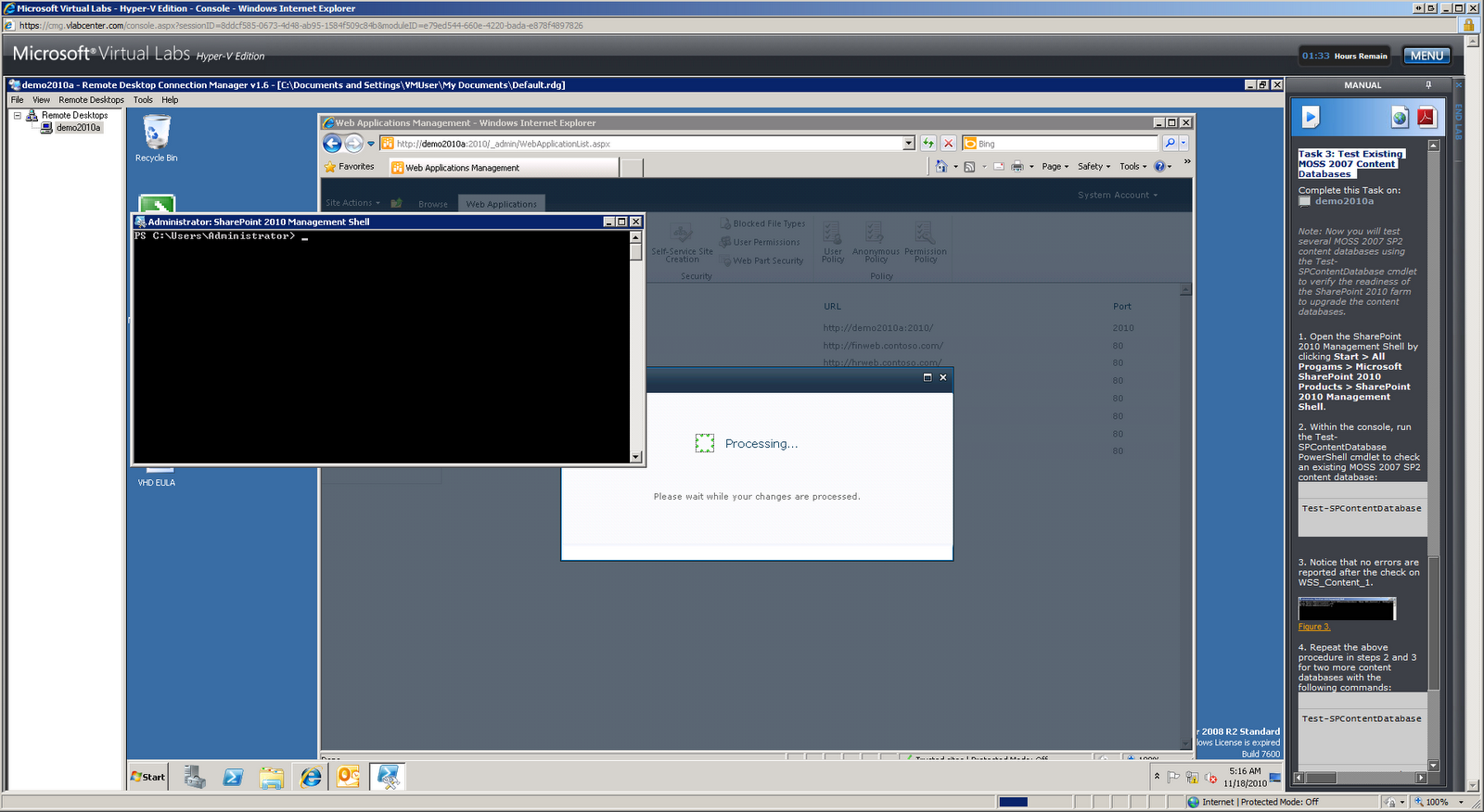
Task 3: Test Existing MOSS 2007 Content Databases


Testing:
(From Sharepoint2010 Management Shell)
Test-SPContentDatabase -Name WSS_Content_1 -WebApplication http://moss.contoso.com

(Gives a dos-box with all problems and solutions)


Exercise 2 - Gain Upgrade System Familiarity
(which turns out to be running just 1 command line in dos box, very simple actually !)

Task 2: Upgrade Two Content Databases at the Same Time
4. Wait for both command windows to close before continuing. Each window will close automatically. It is normal for one window to close before the other. This script may take approximately 5 to 8 minutes to complete. Progress can also be monitored in each of the command windows opened.
(it takes a while :P P)

Exercise 3 - Troubleshoot Upgrade Failures and Resume Upgrade

Scenario
In this exercise you will troubleshoot an upgrade issue by reviewing the upgrade log and then installing a missing solution and restarting upgrade from the command line.


Task 1: Open Failed Upgrade Log

Task 2: Find Errors in the Upgrade Log
(Opening logfile with notepad (copy & paste)..)

Task 3: Install Missing Solutions and Features
! .ps1 file is not in the F40 folder but 1 folder higher.

oops… doesn’t work..


Exercise 4 - Explore Visual Upgrade Features

5. Look at the page, noting that the user interface is still using the MOSS 2007 look and feel. The content database that contains this site collection was initially attached and upgraded with the -PreserveOldUserExperience option set to true, which is the default behavior.

Old interface takes forever to load..
Finally results into ‘An unexpected error has occurred.’


Task 3: Use the Visual Upgrade Preview

(still waiting for the old interface).
. In this lab, you learned how to…
• Verify existing 2007 farm and content upgrade readiness through the use of the 2007 pre-upgrade checker command.
• Verify existing 2010 farm readiness to upgrade specific content databases using the 2010 Test-SPContentDatabase cmdlet.
• Initiate upgrade for individual content databases using the 2010 STSADM –o addcontentdb command.
• Review the upgrade session status using the improved Central Administration web site Upgrade Status page.
• Initiate upgrade for multiple individual content databases using multiple PowerShell sessions to trigger parallel upgrade sessions.
• Troubleshoot an upgrade failure due to missing features, and how to restart upgrade for individual content database.
• Use Visual Upgrade features to switch sites from the 2007 product look and feel to the new 2010 product user interface.